

Best SaaS platform for startup is one of the most critical decisions you will make in the early days. Choosing the best SaaS platform for startup can accelerate your growth, streamline your operations, and save you thousands of dollars.
In 2026/27, there are over 30,000 SaaS tools available. With so many options promising to be the “all-in-one solution,” how do you actually choose the one that fits your startup’s unique needs, budget, and future vision?
After analyzing dozens of startups and their tech stacks, we have broken down the process into 5 proven, practical tips that will help you make a powerful and positive decision.
Why Your SaaS Platform Choice Defines Your Startup’s Future
Before we dive into the tips, let’s understand why this decision is so important. A SaaS platform is not just a tool; it is the foundation of your business operations.
The Positive Impact of the Right Choice:
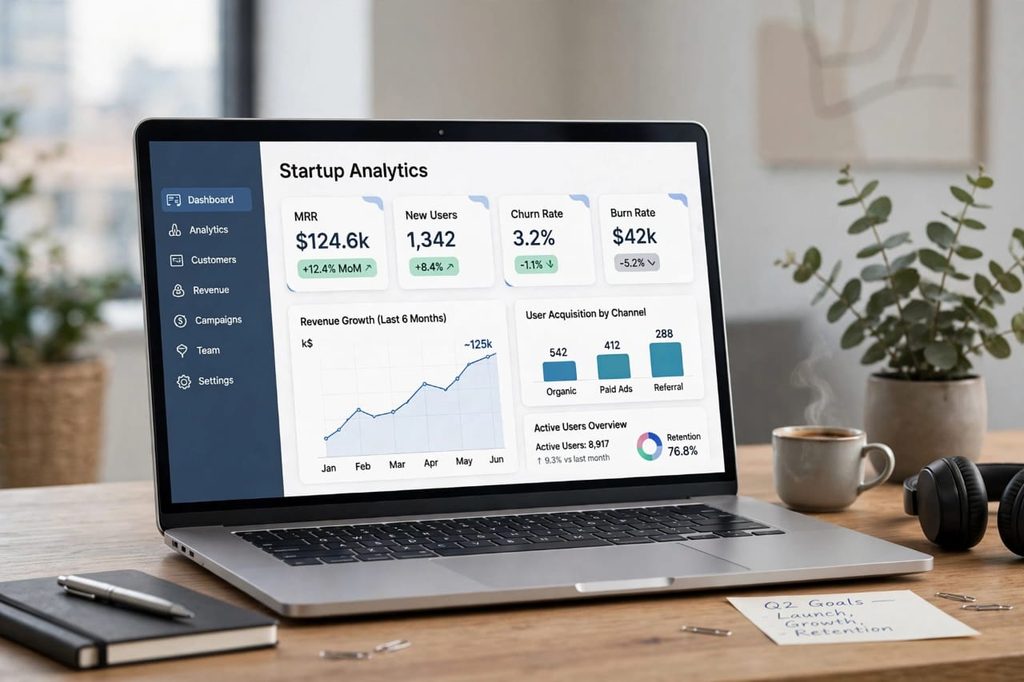
A well-chosen platform gives you superpowers. It automates repetitive tasks, provides clear analytics on your Monthly Recurring Revenue (MRR), churn, and user acquisition, and integrates seamlessly with your other tools like Slack, Stripe, and HubSpot. Your team can focus on building the product and talking to customers, not fixing software.
The Negative Impact of the Wrong Choice:
On the other hand, a poor choice creates hidden debt. Imagine this: You choose a cheap CRM because it costs only $19/month. Six months later, you realize it doesn’t integrate with your payment processor, its customer support takes 3 days to reply, and it has no proper data export option. Now you are stuck. Migrating data is painful, expensive, and risky. Many startups lose weeks of productivity because of this exact mistake. You also risk security vulnerabilities if the platform is not compliant with GDPR or SOC 2.
That’s why you need a clear framework.
Tip 1: Define Your Core Needs Before You Look at Any Tool
The biggest mistake founders make is starting with Google search for “best SaaS tools” instead of starting with their own problems. Don’t look for a solution before you fully understand your problem.
Actionable Steps:
- List Your Core Workflows: What are the 3-5 things you do every single day? For example: managing leads, sending invoices, tracking support tickets, running email campaigns, or analyzing user behavior.
- Identify Your Team’s Pain Points: Talk to your team. What takes the most time? Where do errors happen? If your sales team spends 5 hours a week manually entering data, you need automation first.
- Create a “Must-Have vs. Nice-to-Have” List: Must-haves are non-negotiable. For example, “Must integrate with Stripe” or “Must have 24/7 chat support.” Nice-to-haves are bonuses like “Advanced AI reporting.”
Pro Tip: Write this down in a simple Google Doc. If a platform doesn’t check all your must-haves, eliminate it immediately, no matter how popular it is. This saves you from shiny object syndrome.
Tip 2: Evaluate Scalability and Integrations – Will It Grow With You?
Your startup today is not the startup you will be in 12 months. The best SaaS platform for a startup is one that scales from 10 users to 10,000 users without breaking your budget or your workflow.
What to check for Scalability:
- Pricing Tiers: Does the pricing grow linearly with your users? Some platforms charge per user, which can become extremely expensive. Look for platforms that offer flat-rate pricing for small teams or generous free tiers.
- Feature Limits: Does the basic plan limit your API calls, storage, or number of contacts? A platform that caps you at 1,000 contacts might be useless when you hit 5,000 next quarter.
- Performance: Read reviews on G2 and Capterra specifically from companies that scaled. Did the platform slow down? Did they have outages?
The Power of Integrations:
No tool works in isolation. Your SaaS platform must play well with others. A CRM that doesn’t connect to your email tool or accounting software creates data silos. Before you buy, go to the platform’s integration marketplace (like Zapier, Make, or its native integrations) and check if your critical tools are there. The best platforms have 100+ integrations and a robust open API.
Negative to watch out for: A platform that forces you to use its own ecosystem for everything (email, chat, payments) might seem convenient, but it creates vendor lock-in. If they increase prices, you have no alternative.
Tip 3: Scrutinize Pricing Transparency and Total Cost of Ownership (TCO)
SaaS pricing can be deceptive. The advertised price is rarely the price you actually pay.
Don’t just look at the monthly fee. Look at the Total Cost of Ownership:
- Hidden Fees: Does it charge extra for onboarding, premium support, additional storage, or removing its branding?
- Annual vs. Monthly: Many platforms show a low price like “$29/month” but that is billed annually. The actual month-to-month price might be $45. Always check the fine print.
- Overages: What happens if you exceed your limit of emails, users, or projects? Some tools charge a massive penalty.
- The Cost of Not Buying: Sometimes a more expensive tool saves you money. If a $99 tool automates 20 hours of work per month, it is cheaper than a $29 tool that requires manual work.
Positive Approach: Look for platforms that offer a transparent pricing page, a 14-30 day free trial without requiring a credit card, and a clear upgrade path. The best companies, like Notion and Slack, let you grow into the paid plan naturally. Always ask for a startup discount – many SaaS companies offer 50-90% off for first-year startups through programs like AWS Activate or Stripe Atlas.
Tip 4: Prioritize Security, Compliance, and Data Ownership
This is the tip most early-stage founders ignore until it’s too late. In 2026, data breaches are not just a big-company problem. Startups are prime targets.
Your Checklist for Security:
- Compliance Certifications: Does the platform have SOC 2 Type II, ISO 27001, and is it GDPR compliant? If you handle health or financial data, do they have HIPAA or PCI-DSS?
- Data Encryption: Is your data encrypted at rest and in transit? Where are their servers located?
- Data Ownership and Export: This is critical. What happens to YOUR data if you cancel? Can you easily export everything in a standard format like CSV or JSON? Read their Terms of Service. Some platforms claim ownership of aggregated data. Avoid them.
- Access Controls and 2FA: Can you set role-based permissions (Admin, Editor, Viewer)? Does it offer two-factor authentication for your team?
The Negative Scenario: Imagine building your entire customer base on a platform that gets acquired and shuts down, or suffers a breach and you have no backup. Your reputation is at stake. Never compromise on security to save $20 a month.
Tip 5: Test Real Customer Support and User Experience (UX)
A beautiful landing page means nothing if the actual product is clunky and the support is non-existent.
How to Test Like a Pro:
- The Free Trial Test: Don’t just sign up and click around. Give your team a real task to complete in the trial. For example, “Create a full sales funnel and generate a report.” Time how long it takes. Is it intuitive or confusing?
- The Support Test: During your trial, send a question to their support chat or email. How long does it take to get a human response? Is the answer helpful or a canned response? Great support is a lifesaver at 2 AM when something breaks.
- Check Independent Reviews: Don’t trust testimonials on their own website. Go to G2, Capterra, TrustRadius, and Reddit. Search for “[Platform Name] + problems” or “[Platform Name] + alternatives.” You will find the real negative and positive feedback.
- Community and Documentation: Does it have clear documentation, video tutorials, and an active community? A strong community means you can find answers without waiting for support.
A Positive User Experience means your team will actually adopt the tool. The best SaaS platform is the one your team loves to use, not the one with the most features.
Common Mistakes to Avoid When Choosing a SaaS Platform
- Choosing Based Only on Price: The cheapest option often costs the most in the long run due to poor support and lack of features.
- Ignoring the Contract: Don’t sign an annual contract before a thorough 30-day trial with your actual data.
- Not Involving Your Team: The founder might love a tool, but if the sales team finds it complex, they won’t use it. Include end-users in the decision.
- Overbuying: You don’t need an enterprise-level platform with 200 features when you only use 10. Start simple.
Final Verdict: How to Make the Final Decision
You have now defined your needs, checked scalability, analyzed pricing, verified security, and tested UX. Now what?
Create a simple comparison table with 3 shortlisted platforms. Score each one from 1-5 on: Must-Have Features, Scalability, Pricing, Security, and Support. The platform with the highest total score is likely your winner.
Remember, no platform is perfect. The goal is not to find the perfect SaaS platform, but to find the best SaaS platform for your startup’s current stage that won’t block your next stage of growth.
Start with a free trial today, migrate a small set of data first, and see how it feels. The right choice will feel like a powerful boost, not a burden.
What SaaS platform are you currently considering? Let us know in the comments, and we will help you evaluate it.
[…] this complete guide, we will compare the best project management software for remote teams in USA. We will talk honestly about what is good and what is […]
[…] lawsuit will take its course. SaaS founders do not need to wait for a verdict. This week, they can inventory every agent with live credentials, […]