
If you run a business in 2026, you are already using SaaS, even if you don’t realize it.
When you check your email on Gmail, have a meeting on Zoom, design a post on Canva, or manage your online store on Shopify, you are using Software as a Service. You don’t install anything heavy. You just open your browser, log in, and start working.
I remember a time when businesses had to buy expensive software, install it on every single computer, and then pay someone to fix it when it crashed. It was slow, costly, and honestly, very frustrating. SaaS changed all of that completely.
But now we have a new problem. There are too many SaaS companies. Thousands of them. Which one should you trust? Which one is worth your money? And which one will actually help your business grow instead of just eating your monthly budget?
In this guide, I have personally researched and compared the top SaaS companies in 2026/27. I will show you the best tools, their real pros and cons, pricing, and who they are actually good for. No fluff. Just honest, practical advice.
Let’s dive in.
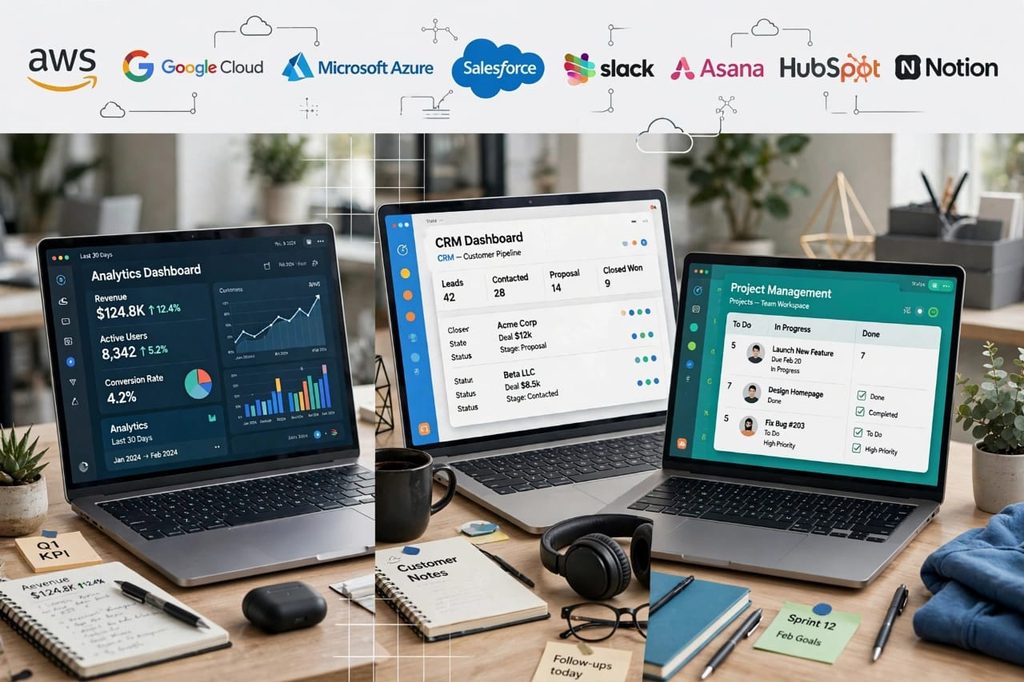
What is a SaaS Company?
SaaS stands for Software as a Service.
A SaaS company builds software and hosts it on the cloud. Instead of buying the software once, you pay a small monthly or yearly subscription to use it.
Think of it like Netflix. You don’t buy movies. You pay Netflix every month and watch whatever you want. SaaS works the same way, but for business software.
For example, instead of buying Microsoft Office on a CD like we used to do 10 years ago, now you just subscribe to Microsoft 365 and get Word, Excel, Teams, and OneDrive, all updated automatically.
This model is winning because it is simple. You don’t need a big IT team. You don’t need expensive servers. You just need internet.
Why SaaS Companies Are Growing So Fast in 2026?
In 2026/27, almost every business, from a small shop in Pakistan to a big company in the US, is moving to SaaS. And there are 3 clear reasons for it.
1. Remote Work Is Now Normal
After 2020, the world never went back. Teams are working from home, from cafes, from different countries. SaaS tools like Slack, Zoom, and Notion make this possible. You can work from anywhere.
2. AI Is Everywhere Now
In 2026, the best SaaS companies are not just software anymore. They are AI-powered. HubSpot writes your emails for you. Notion summarizes your meeting notes. Salesforce predicts which customer is most likely to buy. This is a game-changer.
3. You Pay Only For What You Use
Why pay $5,000 upfront for software you might not like? With SaaS, you can start for free, try it for 14 days, and cancel anytime. It is low-risk for small businesses and startups.
But let’s be honest, it is not all perfect. I will talk about the downsides too, because you need to know both sides before you spend money.
Top SaaS Companies in 2026/27 – The Complete List
Here are the top SaaS companies that are actually leading the market right now. I have divided them by category so you can easily find what you need.
1. Salesforce – Best for CRM and Sales
Salesforce is the king of CRM. If you have a sales team, you have probably heard this name a hundred times.
It helps you track every lead, every customer call, every deal, and every follow-up in one place. In 2026, Salesforce has added Einstein AI, which tells you which lead is hot and which one is wasting your time.
Best For: Medium to large businesses with a serious sales team.
Pricing: Starts around $25 per user per month, but most businesses use the $100+ plan.
Pros:
- The most powerful CRM in the world, nothing comes close for large sales teams
- Tons of integrations, it connects with almost every tool you use
- AI reporting is genuinely useful, not just a gimmick
Cons:
- It is expensive and can get very confusing for beginners
- You may need a specialist just to set it up properly
- Small businesses often find it too heavy for their needs
My Honest Opinion: If you are just starting out, don’t go for Salesforce. It is like buying a truck when you just need a bike. But if you have 20+ salespeople, it is worth every penny.

2. Microsoft 365 – Best for Office and Productivity
Almost everyone uses Microsoft 365. Word, Excel, PowerPoint, Outlook, Teams, and OneDrive, all in one subscription.
In 2026, Microsoft has integrated Copilot AI deeply into all its tools. You can ask Excel to analyze your data, ask Word to draft a report, and ask Teams to summarize a 1-hour meeting in 30 seconds.
Best For: Every business, from students to enterprises.
Pricing: Starts at $6 per user per month for Business Basic.
Pros:
- Everyone already knows how to use Word and Excel
- One subscription gives you everything, email, storage, and meetings
- Security is top-class, great for corporate data
Cons:
- Teams can feel slow and heavy compared to Slack or Zoom
- You end up paying for many apps you never use
- The interface is not as modern as Google Workspace
My Honest Opinion: If your team already uses Windows, this is a no-brainer. It just works.
3. Google Workspace – Best for Collaboration
If Microsoft is for traditional offices, Google Workspace is for fast, modern teams.
Gmail, Google Docs, Sheets, Drive, and Meet. Everything works in real-time. Two people can edit the same document at the same time without any problem. I have used this for years, and it still feels magical.
Best For: Startups, remote teams, and content teams.
Pricing: Starts at $6 per user per month.
Pros:
- Best real-time collaboration in the world
- Very easy to use, no training needed
- Works perfectly on mobile and any browser
Cons:
- Offline mode is still not as good as Microsoft
- Gmail storage can fill up quickly if you get many attachments
- Advanced Excel users will miss some Microsoft features
My Honest Opinion: For content, blogging, and small teams, I personally prefer Google Workspace over Microsoft. It is lighter and faster.
4. Shopify – Best for E-commerce
If you want to sell online in 2026, Shopify is still the easiest way to start.
You can create a beautiful online store in one day, without knowing any coding. Add products, connect payment, and start selling. Shopify handles hosting, security, and payments for you.
In 2026/27, Shopify has added AI product descriptions, AI image editing, and one-click checkout that has increased sales for many store owners.
Best For: Anyone who wants to sell products online.
Pricing: Starts at $29 per month.
Pros:
- Easiest e-commerce platform for beginners
- Huge app store, you can add anything you want
- Very reliable, your store almost never goes down
Cons:
- Transaction fees can add up if you don’t use Shopify Payments
- Custom design needs a developer if you want something very unique
- Monthly costs increase as you add more apps
My Honest Opinion: I have seen many people waste months trying to build a custom website. With Shopify, you can start selling this week. Start simple.
5. Zoom – Best for Video Meetings
Zoom became famous during Covid, but in 2026 it is still the most trusted video tool.
It is simple. Send a link, click, join. No confusion. Now Zoom also offers Zoom Phone, Zoom Whiteboard, and AI meeting summaries.
Best For: Online meetings, webinars, and coaching.
Pricing: Free for 40-minute meetings, Pro starts at $15.99 per month.
Pros:
- Best video and audio quality, even on slow internet
- Very easy for clients, no one gets confused
- Works on every device
Cons:
- Free plan is limited to 40 minutes, which is annoying
- Security issues in the past still make some companies hesitant
- Now there are cheaper alternatives like Google Meet
My Honest Opinion: If you do client calls daily, Zoom still feels more professional than other tools.
6. Slack – Best for Team Communication
Email is slow. WhatsApp is messy for work. Slack solved this.
Slack organizes your team chat into channels. One channel for sales, one for marketing, one for support. You can search any old message in seconds. You can also integrate it with Google Drive, Trello, and 2000+ other apps.
Best For: Teams of 5 to 500 people who need fast communication.
Pricing: Free for small teams, Pro starts at $7.25 per user per month.
Pros:
- Reduces email by almost 70%
- Search is super powerful, you never lose a file
- Fun to use, with emojis, huddles, and integrations
Cons:
- Too many notifications can be distracting if you don’t manage it
- Message history is limited in the free plan
- Can become expensive when your team grows big
My Honest Opinion: Slack is great, but you need discipline. Mute channels you don’t need, otherwise you will spend your whole day in Slack.
7. HubSpot – Best for Marketing and All-in-One Growth
HubSpot started as a marketing tool, but now it is a full growth platform. CRM, email marketing, landing pages, social media, and customer service, all in one place.
What I love about HubSpot is its free CRM. You can start for free and upgrade only when you grow. In 2026, its AI tools can write your marketing emails, create blog outlines, and score your leads automatically.
Best For: Small businesses and startups that want marketing + sales in one tool.
Pricing: Free CRM, paid plans start at $20 per month.
Pros:
- Free plan is genuinely useful, not just a demo
- All-in-one, you don’t need 5 different tools
- Very good learning academy and support
Cons:
- Paid plans get expensive very quickly as you add contacts
- Some advanced features are locked behind high-tier plans
- Migration from another CRM can take time
My Honest Opinion: If you are a beginner in marketing, start with HubSpot free. Learn it first, then decide.
8. Notion – Best for Notes, Docs, and Project Management
Notion is my personal favorite. It is like Google Docs + Trello + Evernote combined.
You can write notes, manage projects, create a content calendar, build a company wiki, and track tasks, all in one beautiful workspace.
In 2026, Notion AI can summarize long docs, translate, and even help you brainstorm ideas.
Best For: Content creators, startups, and small teams.
Pricing: Free for personal use, Plus starts at $10 per user per month.
Pros:
- Extremely flexible, you can build it exactly how you want
- Beautiful and clean interface
- Great for content planning and documentation
Cons:
- Too much flexibility can be confusing at first
- Offline mode is not perfect
- Not as powerful as a dedicated project tool like Asana for big teams
My Honest Opinion: If you are a blogger, YouTuber, or small team, Notion will change how you work. Give it one week.
9. Canva – Best for Design
You don’t need to be a designer anymore. Canva made design easy for everyone.
In 2026, Canva has AI design tools, AI background remover, and brand kits. You can create a YouTube thumbnail, Instagram post, business presentation, and logo in 10 minutes.
Best For: Social media managers, bloggers, and small business owners.
Pricing: Free, Pro starts at $12.99 per month.
Pros:
- Easiest design tool in the world
- Millions of templates, you never start from zero
- Team collaboration is very smooth
Cons:
- Designs can look generic if everyone uses the same templates
- Not good for advanced, professional print design
- You need internet for most features
My Honest Opinion: Canva Pro is worth it just for the background remover and brand kit. It saves hours every week.
10. Asana – Best for Project Management
Asana helps teams know who is doing what, by when.
If you manage a project with 10 people, Asana keeps everything organized. Tasks, deadlines, files, and comments are all in one place. No more asking “what is the status?” on WhatsApp.
Best For: Marketing teams, agencies, and product teams.
Pricing: Free for up to 10 members, Premium starts at $10.99 per user per month.
Pros:
- Very clear task tracking, no confusion
- Beautiful timeline and board views
- Good automation for repetitive tasks
Cons:
- Can feel overwhelming if you have too many projects
- Reporting is limited in lower plans
- Some teams prefer simpler tools like Trello
My Honest Opinion: If your team keeps missing deadlines, you don’t need more meetings, you need Asana.
Pros and Cons of SaaS Companies – The Honest Truth
Before you choose any SaaS tool, you must understand the good and the bad. I am not going to tell you SaaS is perfect, because it is not.
Advantages of SaaS
1. Low Starting Cost
You don’t need to buy expensive servers. Start with $0 or $10 per month.
2. Work From Anywhere
All you need is a laptop and internet. Your office is wherever you are.
3. Automatic Updates
You always get the latest version. No need to install updates manually.
4. Easy to Scale
Have 2 team members today and 50 tomorrow? Just upgrade your plan. Done.
5. Better Security
Top SaaS companies like Google and Microsoft spend billions on security. Your data is often safer with them than on your own computer.
Disadvantages of SaaS
1. Monthly Costs Add Up
$10 here, $20 there, $50 there. At the end of the year, you might be paying $3,000+ for 10 tools you barely use. This is called SaaS sprawl.
2. You Depend on Internet
No internet = No work. If your internet goes down, you are stuck.
3. You Don’t Own The Data Fully
Your data is on someone else’s server. If the company shuts down or changes its policy, you could lose access.
4. Less Customization
With traditional software, you could customize everything. With SaaS, you have to work the way they want you to work.
My Advice: Every 3 months, check all your subscriptions. Cancel the ones you haven’t used in 30 days. This one habit will save you hundreds of dollars per year.
How to Choose the Right SaaS Company For Your Business?
Don’t just pick the most popular one. Pick the right one for YOU. Ask these 5 questions before you pay:
1. What is your real problem?
Do you need more sales? Then you need a CRM like HubSpot. Do you need better team communication? Then you need Slack. Don’t buy a tool just because everyone is talking about it.
2. What is your budget?
Always start with the free plan. If the free plan solves 80% of your problem, don’t upgrade. Only pay when you actually need more features.
3. Does it integrate with your other tools?
If your CRM doesn’t connect with your email, you will waste hours copying data manually. Check integrations first.
4. Is it easy for your team?
The best tool is the one your team will actually use. If it is too complicated, your team will go back to WhatsApp and Excel.
5. Can you cancel anytime?
Never sign a yearly contract for a new tool in the beginning. Always choose monthly. Test for 2-3 months, then go yearly if you love it.
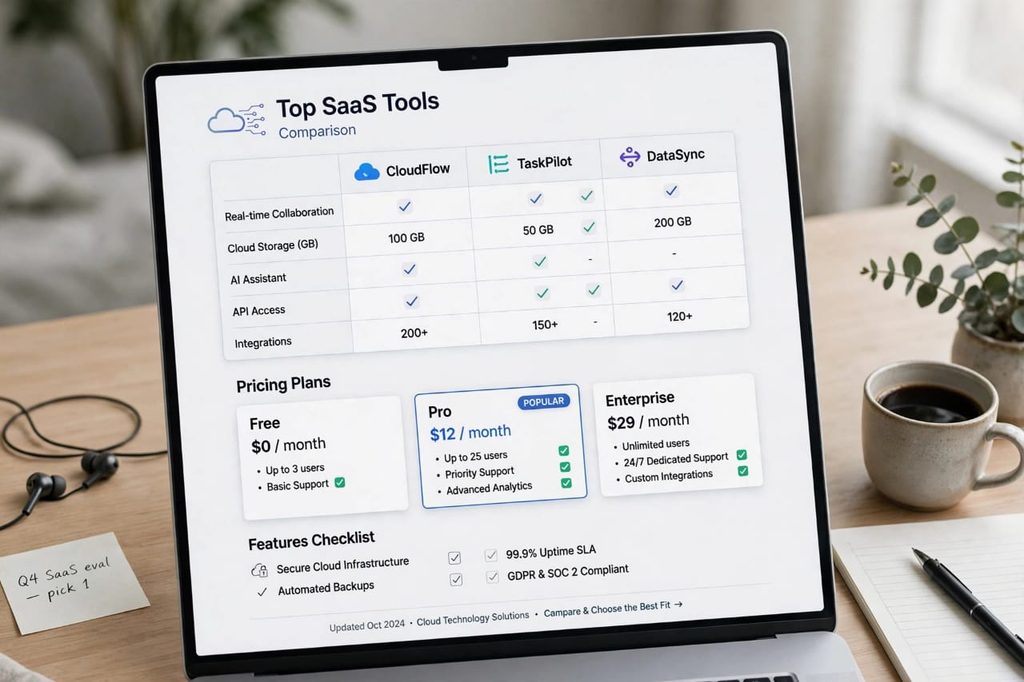
Top SaaS Companies Comparison Table
| Company | Best For | Starting Price | Free Plan |
|---|---|---|---|
| Salesforce | CRM & Sales | $25/month | No |
| Microsoft 365 | Office & Productivity | $6/month | No |
| Google Workspace | Collaboration | $6/month | No |
| Shopify | E-commerce | $29/month | No |
| Zoom | Video Meetings | $15.99/month | Yes |
| Slack | Team Chat | $7.25/month | Yes |
| HubSpot | Marketing + CRM | $20/month | Yes |
| Notion | Notes & Projects | $10/month | Yes |
| Canva | Design | $12.99/month | Yes |
| Asana | Project Management | $10.99/month | Yes |
What is the Future of SaaS in 2027?
SaaS is not going away. In fact, it is just getting started.
In 2027, we will see three big trends:
1. AI-First SaaS: Every SaaS tool will have AI built-in. The tools that don’t add AI will die.
2. All-in-One Platforms: Instead of using 10 tools, businesses will want 2-3 tools that do everything. HubSpot and Notion are already moving in this direction.
3. Vertical SaaS: We will see SaaS tools made only for doctors, only for lawyers, only for restaurants. Very specific, very powerful.
If you are thinking of starting a SaaS business yourself, this is the best time. The market is huge, and people are ready to pay for tools that save them time.
Conclusion – Which SaaS Company Should You Choose?
There is no single best SaaS company for everyone.
If you are a beginner, start with these three: Google Workspace for work, Notion for planning, and Canva for design. These three will cover 90% of your needs for less than $30 per month.
If you are growing, add HubSpot for sales and marketing, and Slack for team communication.
And if you are selling online, Shopify is still the best choice in 2026/27.
The key is not to buy every tool. The key is to buy the right tool and use it properly.
Start with one tool today. Master it. Then add another one when you really need it.
Which SaaS tool do you use the most? Let me know in the comments. I read every comment and reply personally.
FAQs – Frequently Asked Questions
What is the largest SaaS company in the world?
In 2026/27, Microsoft and Salesforce are considered the largest SaaS companies in the world by revenue and users. Microsoft 365 is used by over a billion people, and Salesforce leads the CRM market.
What does SaaS stand for?
SaaS stands for Software as a Service. It means you use software over the internet by paying a monthly subscription, instead of buying and installing it on your computer. Examples are Gmail, Zoom, Shopify, and Canva.
Which SaaS company is best for small businesses?
For small businesses, HubSpot, Google Workspace, Notion, and Canva are the best choices. They have free plans, are easy to use, and cover sales, collaboration, planning, and design without high costs.
How much does SaaS cost per month?
Most SaaS tools cost between $6 to $30 per user per month for small businesses. Enterprise tools like Salesforce can cost $100+ per user per month. Always start with a free plan before paying.
Is SaaS safe?
Yes, top SaaS companies like Google, Microsoft, and Salesforce use advanced encryption, two-factor authentication, and regular security audits. Your data is generally safer with them than on a personal computer, but always use a strong password and enable 2FA.
What is the difference between SaaS and PaaS?
SaaS is ready-to-use software like Gmail or Zoom. PaaS, Platform as a Service, is a platform for developers to build their own apps, like Google App Engine or Heroku. SaaS is for end users, PaaS is for developers.
Which SaaS tools are free?
HubSpot CRM, Notion, Canva, Slack, Zoom, and Asana all offer useful free plans. They are perfect for beginners and small teams who want to try before paying.
[…] Read: Top SaaS Companies in 2026 – Best SaaS […]