
This guide covers the free SEO stack for SaaS sites I use before spending on any paid tools.
When a SaaS founder asks me which SEO tool they should buy first, my answer is usually the same: none yet. Not because paid tools are bad — I use them myself on bigger accounts — but because for the first stretch of a SaaS site’s life, everything that actually decides whether Google sends you traffic is visible for free. The expensive platforms mostly save time and add scale. Early on, you have more time than money, and very little scale to manage.
So before any subscription enters the picture, I run a fixed stack of free tools, in a fixed order. It is the same routine I use on my own site and on client sites, and it takes about two hours a month once it is set up. Here is exactly how it goes.
1. Start with the data: Search Console and Bing Webmaster Tools
Everything starts in Google Search Console, because it is the only place that shows you what Google itself sees: the real queries, the real pages, the real indexing problems. No third-party estimate comes close, and it costs nothing.
On day one I verify the site in Search Console and in Bing Webmaster Tools. Bing takes about two minutes if you import from Search Console, and it is worth doing even if your market is Google-first — Bing’s index also feeds a growing share of AI search answers, and its built-in SEO reports flag errors in plain language that Search Console sometimes buries.
My monthly pass through Search Console has three stops:
The Performance report. I am not looking at total clicks; I am looking for two specific things. First, queries where the site already gets impressions but sits between positions 8 and 20 — those are pages one improvement away from real traffic. Second, pages with a healthy position but a click-through rate far below their neighbours, which usually means the title is not earning the click. Both lists become this month’s work queue.
The Pages report. This is where SaaS sites quietly bleed. Feature pages, integration pages, help-centre articles — they pile up fast, and a good share of them end up “crawled, currently not indexed” because they are near-duplicates of each other. When I see that pattern, the fix is rarely technical. It is merging two thin pages into one strong one, or deliberately noindexing the pages that were never meant to rank.
URL Inspection, used sparingly. For a new landing page that matters — a pricing page, a major feature launch — I inspect it and request indexing once. For everything else, good internal links do the job better than repeated requests.
2. The technical baseline: a one-page audit
Once the data is in, I run a one-page technical audit of the whole site before touching any content. I use a free audit tool I built for my own work — it runs through the checks I used to do by hand: crawl errors, redirect chains, duplicate or missing title tags and meta descriptions, canonical tags pointing where they should, structured data present and valid, broken internal links, and mobile usability.
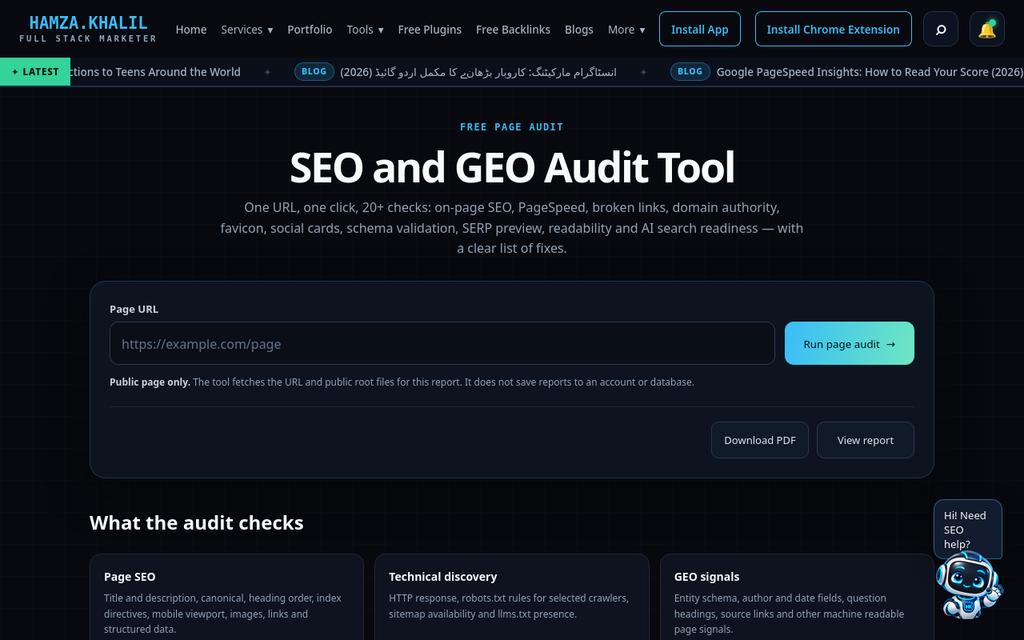
The free one-page SEO audit tool — one URL in, the full check list out.
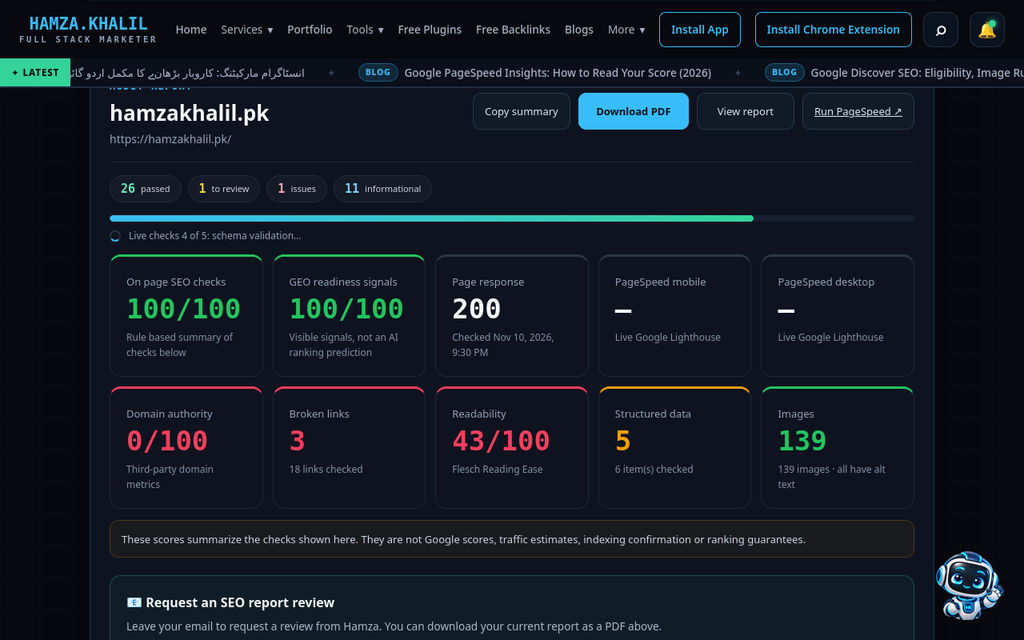
A live audit report: passed checks, issues and the category scores in one view.
The tool matters less than the order in which you fix what it finds. Mine is:
1. Indexability first. A page Google cannot crawl or index makes every other fix pointless.
2. Titles and descriptions next. They are the fastest ranking-and-click lever you fully control.
3. Internal links after that. On most small SaaS sites, the most important page — pricing, or the core feature page — is somehow the one with the fewest internal links pointing at it.
4. Structured data last. Schema rarely rescues a weak page, but on a solid page it can win the richer result.
I re-run this audit monthly. The point is not the score; it is the diff. What broke, what changed, what did we ship that quietly removed a canonical tag? That last one happens more often than any team likes to admit.
3. Core Web Vitals with PageSpeed Insights
PageSpeed Insights is the third stop, and I use it in a specific way: field data first, lab data second. The field data — the 28-day real-user numbers at the top — is what Google actually ranks on. The lab score below it is a simulation, useful for diagnosis, misleading as a target.
I also test the pages that make money, not just the homepage. SaaS homepages get all the attention while the pricing page carries a chat widget, two analytics tags, a video embed and a hero image that weighs more than the rest of the page combined. On the sites I work with, the same three fixes come up again and again: compress and properly size images (especially below-the-fold ones that load eagerly anyway), remove or defer JavaScript that nothing above the fold needs, and stop loading three font weights when one will do.
A note of honesty: you will not get every page to a perfect 100, and chasing the last few lab points is usually a waste of a small team’s week. Get the field data into the green on the pages that convert, then stop and go back to content.
4. Keyword and content checks, still free
With the technical base clean, the stack turns to content — and this is where founders most often assume they need a paid keyword tool. For a young SaaS site, they usually do not, because their best keyword data is already in Search Console: the queries the site already appears for are real demand, measured, not modelled.
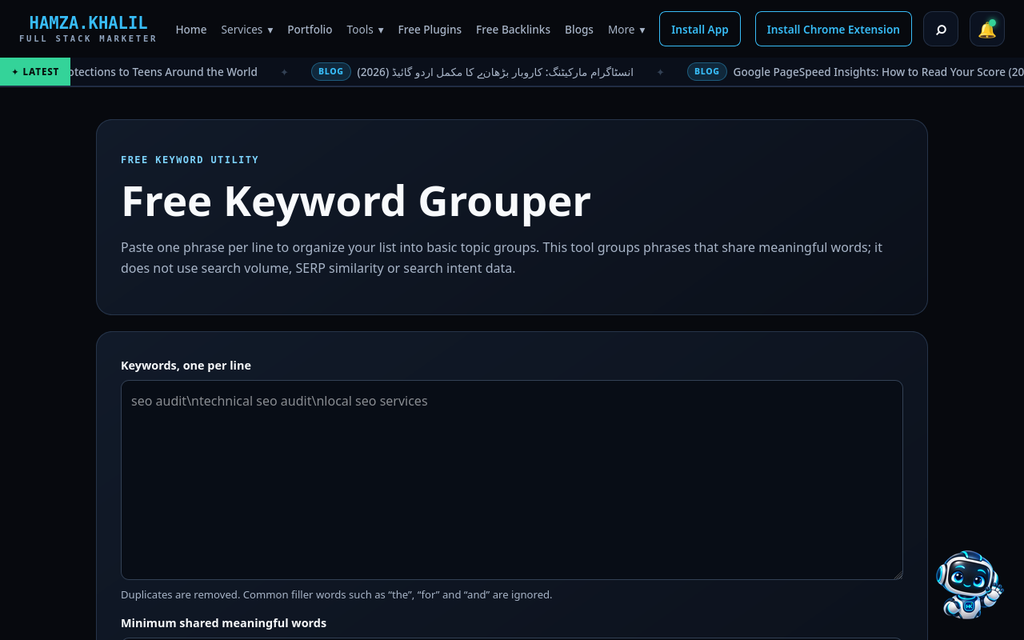
Grouping raw Search Console queries into topic clusters with a free keyword grouper.
My process looks like this. I export the queries with impressions from the Performance report, then group them by intent before writing anything — one cluster per page, so I never publish two articles that compete with each other. (I use a free keyword grouping tool for this; doing it by hand in a spreadsheet works too, it just takes an evening.) Then I check Google Trends on the main terms in a cluster — mostly to catch seasonality and to choose between two phrasings people actually use. The “People also ask” boxes on the results page give me the subheadings; they are, quite literally, the questions buyers are asking.
Two more free habits round this out. First, a cannibalisation check: filter a money query in Search Console and see how many of your own pages show up for it — if it is three, you have a merging job, not a writing job. Second, a readability pass on anything I publish, because SaaS writing drifts toward feature-listing jargon faster than any other kind.
The same data also tells me what to refresh. Once a quarter I compare the last 28 days in the Performance report against the previous period and look for pages sliding backwards — losing clicks they used to win. An old post that ranked fourth and now ranks ninth is the cheapest win on the site: updating its examples, tightening the title around the query it actually ranks for, and adding the section readers are clearly asking for (the new “People also ask” questions on that term) usually recovers the position in weeks. Writing a brand-new article to replace it would take longer and start from zero.
5. What this stack cannot do — and when I do pay
I want to be straight about the limits, because “free tools only” becomes bad advice past a certain point. This stack cannot give you backlink data at scale — whose links are winning your competitor their rankings is a paid-tool question. It cannot track rankings across cities and devices, run log-file analysis on a large site, or monitor hundreds of pages for changes. Search Console also only shows you your own site; the moment your core job becomes “close the gap with three specific competitors,” you are modelling other people’s data, and that is what the subscriptions are for.
My rule of thumb: when an hour of your team’s time costs more than the monthly fee you are avoiding, buy the tool. For most early SaaS sites, that moment arrives later than the tool vendors would like you to think — usually when traffic work stops being a founder’s two hours a month and becomes someone’s actual job.
Until then, one free habit covers the gap most people miss most: tracking. You do not need a rank tracker to know whether the work is working. Search Console’s average position, filtered to a single page and its main query, is honest enough for a small site — it is based on every real impression, not a once-a-day scrape from one location. I keep a plain spreadsheet with the ten queries I care about and their positions at the end of each month. Three columns, five minutes, and I can see the trend that actually matters.
6. The monthly checklist, in order
Everything above condenses into the checklist I actually run, start to finish, in about two hours:
1. Search Console Performance: note queries sitting at positions 8–20 and low-CTR pages in the top 10.
2. Search Console Pages report: check what dropped out of the index and why.
3. Bing Webmaster Tools: scan the SEO report for new errors.
4. Full-site audit: fix in the order indexability → titles → internal links → schema.
5. PageSpeed Insights on the homepage, pricing page and the top landing page: field data only, fix the worst offender.
6. Export and group new queries; pick one cluster to write or refresh.
7. Cannibalisation check on the three most important commercial queries.
8. Refresh one older post that is already ranking — it is almost always cheaper than a new one.
9. Re-check last month’s fixes: did the position or CTR actually move?
None of this requires a credit card. It requires a routine — which, in my experience, is the thing that separates the SaaS sites that grow steadily in search from the ones that buy a tool, open it twice, and wonder why nothing changed. Start with the stack. Add the subscriptions when the stack, not the budget, becomes the bottleneck.
About the author
Hamza Khalil is a full-stack marketer who helps SaaS and service businesses grow through SEO, websites and social media. He publishes a daily marketing blog and a set of free SEO tools at hamzakhalil.pk.