

Starting a startup in 2026 feels like running a marathon with a backpack full of rocks. You have a small team, limited cash, and you are expected to compete with billion-dollar companies. I have been there. When we started, we tried to do everything manually and almost burned out in 3 months.
Then we discovered the right SaaS stack. The right tools don’t just save you time; they make you look like a 50-person company when you are only 5 people.
After testing over 80+ tools and talking to 15+ founders who scaled to $1M+ ARR, I have finalized the 10 best SaaS tools every startup needs in 2026/27. This is not a sponsored list. I have included the good and the bad for each tool so you can make a smart decision.
1. Notion – The Startup’s Second Brain
If you only pick one tool from this list, pick Notion. Every successful startup in 2026 runs on Notion.
What it does: It replaces Google Docs, Trello, Confluence, and your messy notes all in one place. You can build your entire company wiki, SOPs, roadmaps, and even your website on it.
Positive: The free plan is more than enough for a team of 0-10 people. The new Notion AI Q&A can answer questions from all your docs instantly. It’s insanely customizable.
Negative: It can become a mess if you don’t organize it from day one. Many teams suffer from “Notion sprawl” where they create 100 pages and never find anything. Also, it is slow if you add 50+ databases.
Pricing: Free, Plus $10/user/month
Best For: Founders who want to document everything from day one.
2. Slack – Kill Email Culture Forever
Email is dead for internal communication. If your startup is still using email or WhatsApp for team chat, you are losing 5 hours every week.
What it does: Real-time messaging organized by channels. Integrates with literally every tool.
Positive: Reduces internal emails by 90%. The Huddle feature is a game-changer for quick calls. The workflow builder automates daily standups.
Negative: It is a massive distraction if you don’t set notification rules. Many startups complain about constant pings killing deep work. Also, message history is limited to 90 days on the free plan, which is frustrating.
Pricing: Free, Pro $8.75/user
Best For: Remote and hybrid teams.
3. Stripe – The Money Machine
You can have the best product in the world, but if you can’t collect money, you have no business. Stripe is the undisputed king.
What it does: Payment gateway, subscriptions, invoicing, fraud prevention, tax calculation – everything related to money.
Positive: You can go live and accept global payments in under 15 minutes. The developer experience is the best in the world. Supports 135+ currencies. Their new AI fraud detection blocked $4B in fraud last year.
Negative: The fees add up. 2.9% + 30c is expensive when you are doing $100k+ MRR. Customer support is slow and mostly bot-based. Account holds without warning are a real issue for new startups.
Pricing: 2.9% + $0.30 per transaction
Best For: Any startup that needs to charge customers online.
4. HubSpot – Your Free CRM to $1M
In the early days, we used Excel to track leads. We lost 12 hot leads because of it. Don’t make that mistake.
What it does: CRM, email marketing, live chat, landing pages. The free CRM is genuinely free forever.
Positive: The free version is powerful enough until you hit 1,000 contacts. It shows you exactly when a lead opens your email. The email sequences automate your follow-ups.
Negative: It gets insanely expensive very fast. The Starter plan jumps to $20, but the Professional plan is $800/month. Many features are locked behind paywalls. Also, it can feel bloated.
Pricing: Free CRM, Starter from $20/month
Best For: Startups focused on inbound sales and marketing.
5. Canva Pro – Your $50k Designer in $15
You cannot afford a full-time designer in year one. But your pitch deck, logo, Instagram posts, and product hunt images need to look like a million bucks.
What it does: Drag-and-drop design with AI Magic Studio.
Positive: Magic Design creates a full pitch deck from one prompt. Background remover, brand kit, and 100M+ templates save weeks of time. Non-designers can make professional designs.
Negative: Everyone’s designs start to look the same because everyone uses the same templates. Not good for complex illustrations or unique branding. The AI image generator is still behind Midjourney.
Pricing: $15/month for Pro
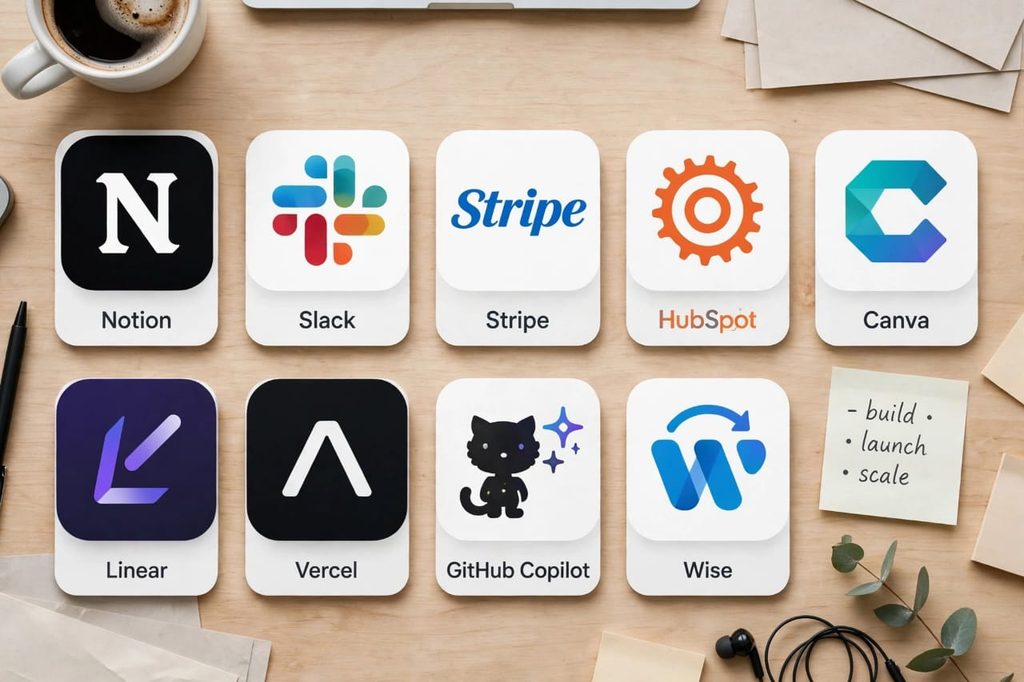
6. Linear – The Jira Killer for Fast Teams
If you are a tech startup and still using Jira or Trello for product development, you are moving slow.
What it does: Issue tracking and project management built for speed. Loved by developers at OpenAI, Stripe, and Linear itself.
Positive: Blazing fast. Keyboard shortcuts for everything. The UI is beautiful and doesn’t make you want to cry like Jira. Syncs perfectly with GitHub.
Negative: Not good for non-tech teams. Marketing and sales teams will find it too developer-focused. Limited reporting features compared to Jira.
Pricing: Free up to 250 issues, $8/user after that
Best For: Tech startups and product-led teams.
7. Vercel – Deploy Your Idea in 30 Seconds
Your startup idea is worthless until it’s live. Vercel lets you go from code to live URL in seconds.
What it does: Frontend cloud platform. Perfect for Next.js, React, and AI apps.
Positive: Deploys are instant. Free hosting for side projects is generous. The AI-powered v0.dev builds your UI from text. Global CDN makes your site super fast.
Negative: Costs can spike if you get a lot of traffic unexpectedly. The free plan has limits on build time. Not ideal for backend-heavy apps.
Pricing: Free Hobby plan, Pro $20/month
Alternative for non-tech founders: Hostinger – Cheap and easy WordPress hosting.
8. GitHub Copilot – The AI Co-Founder for Developers
Coding in 2026 without AI is like farming without a tractor. GitHub Copilot writes 46% of code for developers now.
What it does: AI autocomplete that writes code, tests, and even documentation inside VS Code.
Positive: Increases developer productivity by 55% according to GitHub’s own study. It knows your entire codebase. It writes boilerplate code you hate writing.
Negative: Sometimes it suggests insecure or outdated code. You still need to review everything. Can make junior developers lazy and they don’t learn fundamentals. $10/month per developer adds up.
Pricing: $10/month
Best For: Any startup with developers.
9. Droven – The AI Tools Directory
There are 10,000+ AI tools launched every month. How do you find the right one? Droven solves this.
What it does: Curated directory of AI tools categorized by use case – writing, coding, marketing, video.
Positive: Saves 20+ hours of research. You can find alternatives to expensive tools quickly. Updated daily.
Negative: Still a new platform, so some tool reviews are limited.
Pricing: Free
Best For: Founders who want to stay updated with AI without wasting time.
10. Wise – Save $5,000/Year on International Payments
If you pay freelancers, contractors, or remote employees outside your country, your bank is robbing you with hidden fees.
What it does: International business account with real exchange rates. Send money to 160+ countries.
Positive: 5-8x cheaper than PayPal and banks. Gives you US, UK, EU bank account details for free. Very transparent. The debit card works globally.
Negative: Not a full bank – no loans or credit. Transfer can take 1-2 days sometimes. Customer verification can be strict.
Pricing: Free to open, 0.33% – 1.5% fee per transfer
Best For: Startups with a global remote team.
Final Verdict: How to Build Your Stack Without Going Broke?
Don’t buy all 10 tools on day one. That is the biggest mistake new founders make. You will burn $500/month on tools you don’t use.
Here is the smart way I recommend to all founders:
Phase 1: Idea to First 10 Customers (0 – $10k MRR)
Stack: Notion (Free) + Slack (Free) + Stripe + Canva Pro ($15) + Vercel (Free) + Wise (Free)
Total Cost: ~$15/month
Phase 2: Product-Market Fit to Scale ($10k – $100k MRR)
Add: HubSpot Starter + Linear + GitHub Copilot
Total Cost: ~$120/month
Phase 3: Scaling Beyond $100k MRR
Add: Advanced plans and automate everything.
The best SaaS stack is not the most expensive one; it’s the one your team actually uses every day.
My personal advice: Start with Notion and Stripe today. Master them. Then add one tool per week.
Which tool from this list are you already using? And which one are you going to try next? Let me know in the comments. I read every single one.