
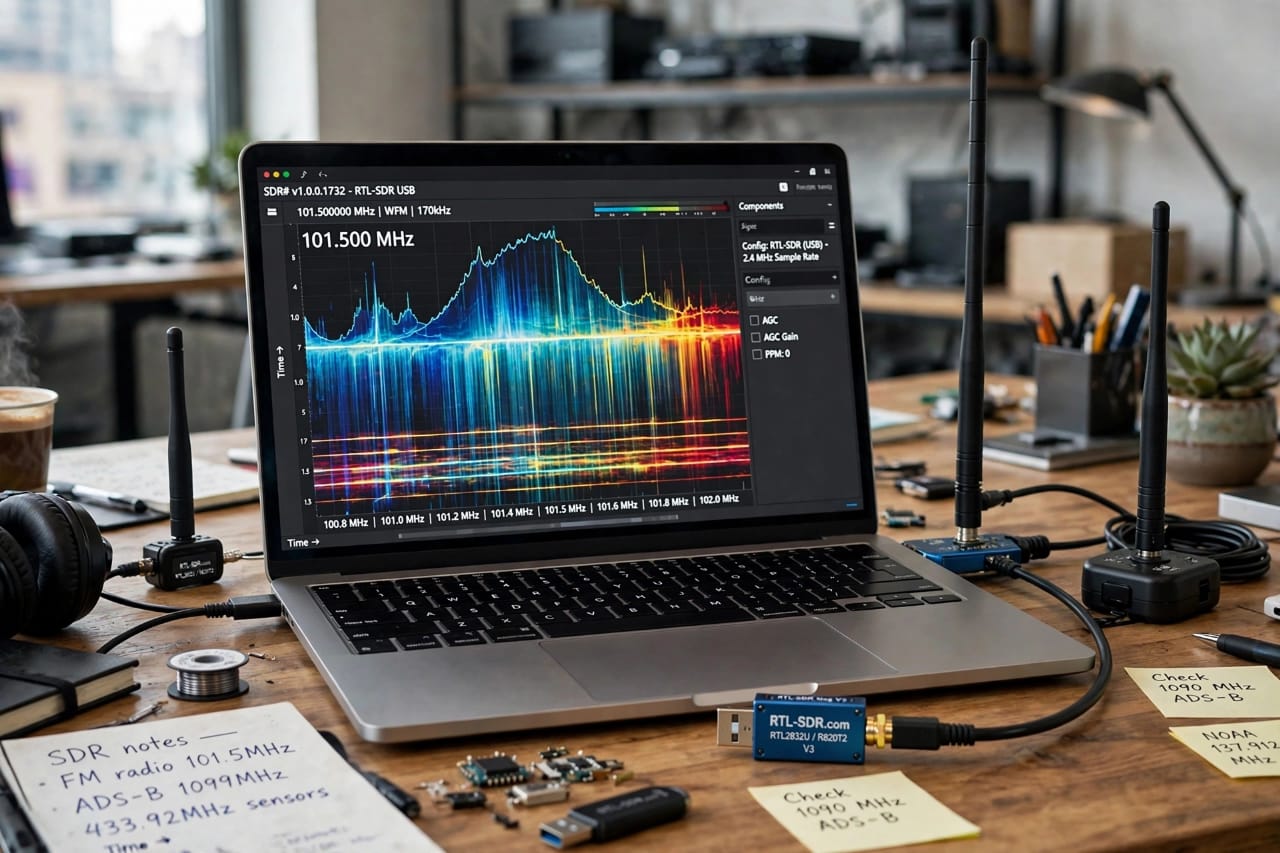
Have you ever wondered how a tiny $35 USB stick can let you listen to FM radio, track airplanes live, see weather satellite images, and even listen to astronauts on the International Space Station? That magic is called SDR.
If you searched for “best sdr software defined radio for beginners” you are in the right place. I have been testing SDR dongles for the last 3 years, wasted money on cheap clones, and finally found what actually works for a beginner in 2026.
This guide will not be a boring technical manual. I will tell you what SDR is in simple words, its real pros and cons that no one tells you, and the 5 best tools I recommend after testing over 12 devices.
What is SDR? Simple Explanation for Beginners
SDR stands for Software Defined Radio.
In a traditional radio, everything is done by hardware. If you want to listen to FM, you need an FM circuit. If you want to listen to AM Air Traffic, you need another hardware. It’s rigid, expensive, and outdated.
Software Defined Radio flips this idea. In SDR, the hardware is very simple – just an antenna and a small receiver chip. All the complex work like filtering, demodulating, and decoding is done by software on your laptop or even your phone.
Think of it like this: An old radio is like a calculator that can only do plus and minus. SDR is like a smartphone. You install one app and it becomes an FM radio. Install another app and it becomes an air traffic radar. Install a third app and it becomes a satellite image decoder. Same hardware, unlimited possibilities.
A typical SDR setup has three parts:
- Antenna: Catches all the invisible radio waves around you.
- SDR Dongle: Like RTL-SDR or HackRF. It converts those waves into digital data.
- Software: Like SDR# (SDRSharp) or SDR++. It turns that data into sound or pictures you can understand.
How Does SDR Actually Work? (Without Boring Theory)
Let’s not go into heavy engineering. Here is the real-world flow:
Your antenna is constantly hit by thousands of signals – FM 98.5, your WiFi 2.4 GHz, airplane signals at 1090 MHz, police walkie-talkies at 400 MHz. You can’t hear them because they are analog radio waves.
The SDR dongle samples a huge chunk of that spectrum, say 2.4 MHz wide at a time, and sends it via USB to your computer as raw data.
Your software then acts like a smart filter. You tell it “I only want to listen to 101.5 MHz WFM” and it extracts only that. The beautiful waterfall display you see on screen is literally a visual map of all radio signals around you in real time.
This is why one $35 device can do what used to require $1000s of equipment.
The Honest Truth: Pros and Cons of SDR for Beginners (Human Touch)
No one tells you this on YouTube, so I will.
Pros – Why I Love SDR:
- Insanely Cheap to Start: You can start for under $40. My first setup was a $32 RTL-SDR clone and it worked for 6 months.
- Best Way to Learn Radio & RF: If you are a student in telecom, electronics, or cybersecurity, SDR is the best practical lab. You SEE the radio waves, not just read theory.
- Huge Community: There are millions of tutorials. If you get stuck, Reddit r/RTLSDR will answer in 10 minutes.
- Future-Proof: No need to buy new hardware every year. A software update gives you new features for free.
Cons – What Frustrates Beginners:
- Learning Curve is Real: The first day is confusing. Installing drivers (Zadig on Windows) can give you errors. I spent 2 hours on my first day just to hear static.
- Cheap Antennas Are Useless: The tiny antenna that comes in the box is terrible indoors. You will need to put it near a window or build a better one. This is the biggest disappointment for new users.
- Too Much Noise in Cities: If you live in a dense city like Lahore or Karachi, FM and electrical noise can overwhelm weak signals. You need filters.
- Not Everything is Legal to Decode: You can listen to most things, but transmitting without a ham radio license is illegal. Also, many police and military signals are now encrypted – you won’t hear them.
My honest advice: If you have patience for 2-3 days of learning, SDR is the most rewarding hobby under $50. If you want plug-and-play, you will get frustrated.
5 Best Software Defined Radio Tools for Beginners in 2026
After testing, here are my top 5 picks. I ranked them for a complete beginner, not an expert.
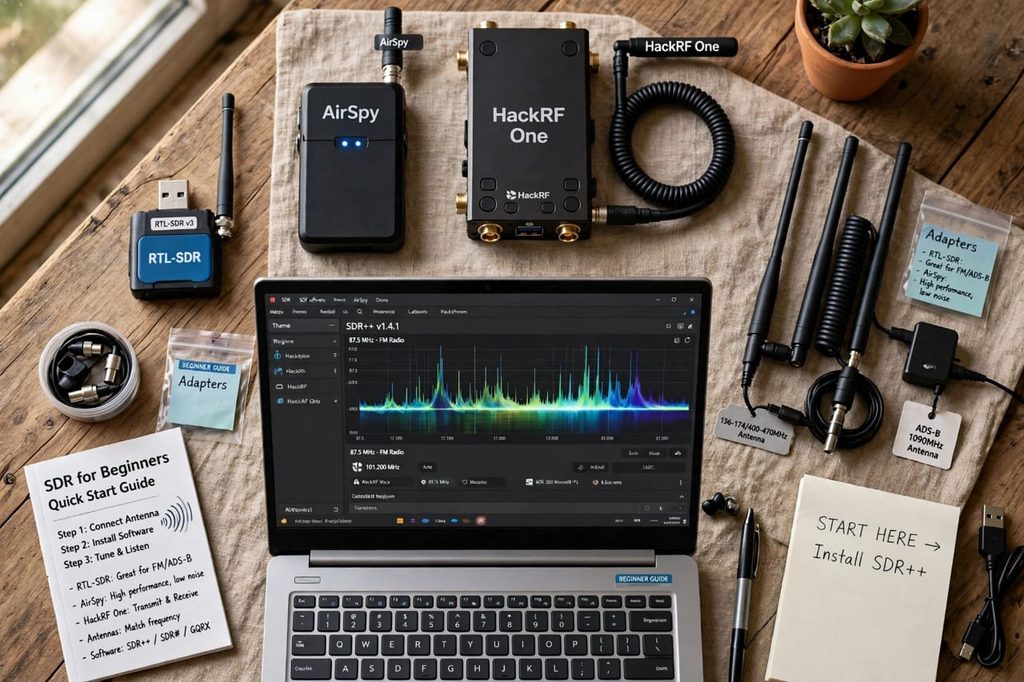
1. RTL-SDR Blog V3 – Best Overall & Cheapest Start
This is where 90% of us started. Don’t buy the cheapest green dongle from random sellers, get the official RTL-SDR Blog V3. It has a metal case and better components.
- Price: $35-$45 on Amazon / AliExpress
- Frequency Range: 500 kHz to 1.75 GHz (with direct sampling)
- Software: Works with SDR#, SDR++, HDSDR, GQRX
- Positives: Unbeatable price, massive tutorials, can receive NOAA satellite images with a DIY antenna.
- Negatives: Gets hot quickly, dynamic range is low, so strong FM stations can block weak signals.
- Best For: Absolute beginners, students, anyone on a tight budget.
2. SDR# (SDRSharp) – Best Free Software for Windows
This is not hardware, but without good software your SDR is useless. SDR# is the Windows king.
- Price: 100% Free
- Platform: Windows 10/11
- Positives: Beautiful, easy UI. One-click installer. Thousands of free plugins for decoding airplanes, weather satellites, trunking.
- Negatives: Windows only. Can be buggy with Windows updates. Looks old-fashioned.
- Best For: Any beginner with a Windows laptop. Install this first.
3. GQRX & SDR++ – Best for Mac, Linux and Raspberry Pi Users
If you use a MacBook or you are a Linux guy, GQRX and its modern fork SDR++ are lifesavers.
- Price: Free and Open Source
- Platform: macOS, Linux, Raspberry Pi 4
- Positives: Very stable, lightweight. SDR++ is incredibly fast even on a $35 Raspberry Pi.
- Negatives: Fewer plugins than SDR#. GQRX development is slow now.
- Best For: Mac users and people who want to build a portable SDR box with Raspberry Pi.
4. AirSpy Mini & AirSpy R2 – Best Upgrade When You Get Serious
After 3-4 months with RTL-SDR, you will start noticing its limits – signals overlap, noisy reception. AirSpy is the logical next step.
- Price: $99 (Mini) / $169 (R2)
- Frequency Range: 24 MHz to 1.8 GHz
- Positives: 3.5x better sensitivity, 12-bit ADC (vs 8-bit in RTL-SDR), so you hear weak signals clearly. Much better for satellite images.
- Negatives: Still receive-only, no transmit. Costs 3x more than RTL-SDR.
- Best For: Hobbyists who know they love SDR and want cleaner audio and images.
5. HackRF One – Best for Hackers and Future Experts
This is the beast. It’s not just a receiver; it’s a transceiver. It can transmit signals too.
- Price: $300-$350 (Original), $100-$150 for clones
- Frequency Range: 1 MHz to 6 GHz – covers almost everything!
- Positives: Can transmit (great for ham radio experiments), massive frequency range, open-source hardware, used by cybersecurity professionals to test car keys, wireless systems.
- Negatives: Half-duplex (can’t receive and transmit at same time), 8-bit like RTL-SDR so not as sensitive as AirSpy, EASY TO BREAK THE LAW IF YOU TRANSMIT ON WRONG FREQUENCY. Requires license.
- Best For: Cybersecurity students, ham radio operators, engineers. NOT for day-one beginners unless you have a mentor.
SDR vs Traditional Radio: Which is Better?
| Feature | Traditional Radio | Software Defined Radio |
|---|---|---|
| Cost for Multiple Bands | $500+ for separate radios | $35 for one SDR |
| Flexibility | Fixed function | Unlimited by software |
| Learning Value | Low | Extremely High |
| Portability | Bulky | Fits in your pocket |
| Ease of Use | Very Easy | Needs 1-2 days learning |
For learning and experimenting in 2026, SDR wins by a mile.
My Recommended Starter Kit for Under $50
Don’t overthink. Buy this:
- RTL-SDR Blog V3 Bundle with dipole antenna kit – $39
- Install SDR# software – $0
- A 10-foot USB extension cable to put antenna near window – $5
Total: ~$44. That’s it. You will be listening to local FM and air traffic on day one.
Step-by-Step: How to Start in 20 Minutes
Step 1: Unbox and connect antenna to dongle, dongle to laptop.
Step 2: Download Zadig driver tool and install driver for Bulk-In Interface 0.
Step 3: Download SDR# zip, extract, and run SDRSharp.exe.
Step 4: Set source to RTL-SDR, click Play, type 101.5 MHz, select WFM, and you should hear FM radio.
If you hear only static, move antenna near window. 90% of problems are antenna placement, not software.
Final Verdict: Should You Buy SDR in 2026?
Yes, absolutely, but with the right expectation.
If you think you will buy it and magically hear NASA or secret police conversations in 5 minutes, you will be disappointed. Many interesting signals are now digital or encrypted.
But if you are curious, love to learn how wireless world works, are a student, or want a hobby that can actually become a career in telecom or cybersecurity, SDR for $35 is the best investment you can make. I still use my first RTL-SDR after 3 years.
Start cheap, learn, then decide if you want to upgrade to AirSpy or HackRF.
Frequently Asked Questions (FAQs)
Q1. Is using SDR legal in Pakistan, India, USA?
Yes, listening is legal in almost all countries. Transmitting is not legal without a ham radio license. Never transmit on emergency, aviation, or police frequencies.
Q2. Can I track airplanes with SDR?
Yes! This is the most popular beginner project. Use RTL-SDR + free software like Virtual Radar Server or ADSBExchange. You can see live flights within 200km. You need a 1090 MHz antenna for best results.
Q3. Can I get free internet with SDR?
No, this is a common myth. SDR cannot hack WiFi to give you free internet.
Q4. Do I need to learn coding?
For basic listening, no coding at all. For advanced projects like decoding weather satellite images into pictures or automating signal recording, basic Python helps a lot.
Q5. What is the best SDR software in 2026?
For Windows: SDR#. For Mac/Linux: SDR++. For Raspberry Pi: SDR++ is the fastest. For airplane tracking: SDR++ + dump1090.